Split or extract PDF pages: which tool to use
Four tools on this site take pages out of a PDF, and each works differently. Split PDF makes one file per page, Extract Pages makes one file from the pages you list, Delete Pages keeps everything except the pages you list, and Combine PDF takes page ranges from one or several files. This guide helps you pick.
Which tool for which job
| You want | Use | You get |
|---|---|---|
| Every page as its own file | Split PDF | A ZIP of page-1.pdf, page-2.pdf and so on |
| A few chosen pages in one PDF | Extract Pages | One PDF, pages in the order you type them |
| The whole file minus a few pages | Delete Pages | One PDF, the rest in the original order |
| A range of pages, such as 3 to 7 | Combine PDF | One PDF from the ranges you enter |
| Pages from several files together | Combine PDF | One PDF, file after file |
| The same pages in another order | Reorder Pages | One PDF |
Split PDF: one file per page
There are no options: as soon as the file is read, every page is copied into its own PDF, named page-1.pdf, page-2.pdf and so on after its position in the file, and the files arrive together as split-pages.zip. The pages are copied, not redrawn, so text and images are unchanged. Each file carries its own copy of the fonts and images its page uses, so the ZIP can be larger than the PDF you started with.
Extract Pages and Delete Pages: lists of page numbers
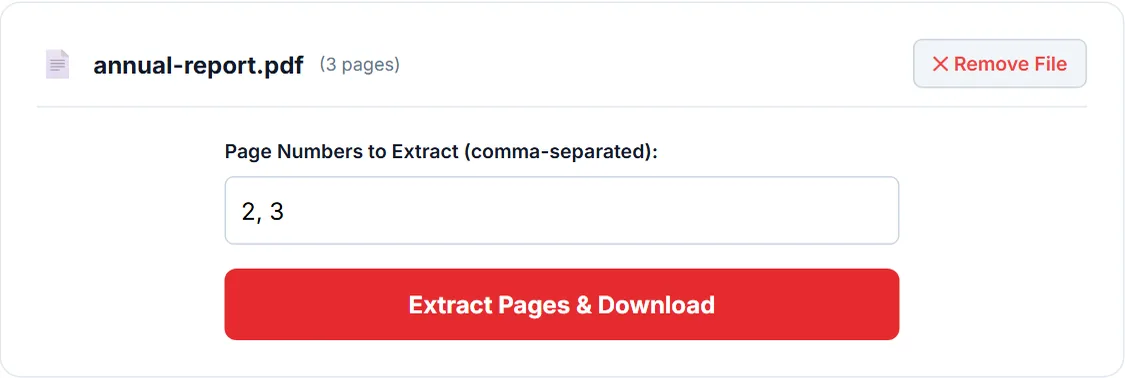
Both take page numbers separated by commas, such as 2, 5, 9. Extract Pages copies those pages into a new file in the order you type them, saved as extracted_ followed by the file name; Delete Pages copies every other page in the original order, saved as modified_ followed by the file name. Two traps catch most people:
- Ranges are misread. Neither tool understands 3-7: it is read as page 3 alone, because reading stops at the dash. List each number, or use Combine PDF, which does understand ranges.
- The boxes are not empty. Extract Pages opens with 1 already typed and Delete Pages with the last page number. Clear the box before you type, or that page comes along, or goes, as well.
Combine PDF: ranges, and several files
Each file you add gets a Pages box that understands all, single numbers, ranges such as 2-6, open ranges such as 8- to the end or -3 from the start, and combinations like 1-3, 5, 8-. Only those pages are copied, file after file, into combined_pages.pdf. A page outside the file, such as page 12 of a 10-page file, is reported and nothing is written until you correct the box. It works with a single file too, which makes it the tool for a range from one document.
What none of them carry over
Bookmarks are not kept by any of these tools, and links from one page to another do not work in the new files. Page numbers printed on the pages stay as they were: after taking out pages 5 to 9, the new file still shows 5 to 9 on them. Add Page Numbers can stamp a new sequence, but it does not remove the old numbers.
Frequently asked questions
How do I split a PDF into separate pages?
Use Split PDF. Every page becomes its own PDF, and all of them come in one ZIP file. There is nothing to set.
How do I extract a range of pages, such as 3 to 7?
Use Combine PDF and type 3-7 in the Pages box. Extract Pages reads 3-7 as page 3 only, so list 3, 4, 5, 6, 7 there instead.
Does splitting or extracting reduce quality?
No. All four tools copy the pages as they are, without redrawing them, so text stays text and images keep their resolution.
Sources
- PDF-LIB (pdf-lib project): the JavaScript library that creates and modifies PDF files in a browser.
Tools used in this guide
More guides
- Are online PDF tools safe? What happens to your file
- How to check if a website uploads your file
- How to merge PDF files without uploading them
- How to compress a PDF for email
- How to compress a PDF to a specific size
- How to redact a PDF properly
- Can a redacted PDF be unredacted?
- How to make a scanned PDF searchable
- How to password protect a PDF
- How PDF tools work in a browser without uploading anything
- How to fill out a PDF that is not fillable
- PDF to JPG or PNG: which one to choose
- How to remove metadata from a PDF
Or see all guides and how this site compares with other PDF services.